

If you said, "Can't teach 'em new tricks," you get 10 bonus points; and welcome to my world.
Yeah, I'm still dealing with practicing on Pixelmator Pro instead of Photoshop. Some of the quick commands are the same. Not all, though. The biggest difference I've come up against so far is being able to input numerical changes for RGB color - I did that for years with our color lab in the studio, and it was a relatively easy transition to Photoshop back in the 90s. That was great for us as we made the transition from film to digital (in 2001).

We were early adopters of that technology; it was a major change for the photographic industry. Photographers who had only used an outside lab (the vast majority) were at a disadvantage because they had to learn not only the digital imaging, but also how to work up a finished image (for color balance, exposure, contrast, and retouching). We had been using digital and film side by side for a year before we made the switch. I have to admit that I don't miss mixing and dealing with the chemicals in our color lab, and not having to work "in the dark" with film and when changing long rolls of photo paper. With digital, we could work "in the light"... then, there was also dealing with the screen color on 4 different monitors. Again, we had an advantage, because we had been balancing and adjusting the color on a VCNA (Video Color Negative Analyzer). The VCNA was state of the art for getting the color balanced from a color negative to photo paper.
The change to a full digital lab had its challenges, but we were committed. Or maybe we should have been committed. ;-)
All this to say: I have about 30 years of nearly daily use with Photoshop. I was first using it with version 2.0... before there were layers. Layers didn't happen until V3.0.
I took one of the first classes offered by PPA (Professional Photographers of America) regarding using Photoshop. The professional digital cameras were in their infancy... and were not good. One really eye-opening experience: the guy teaching the class had us all go to the back of the room - then turn around and look at the monitors... they all had different color! Without a color balanced monitor, the color you saw on the screen would not even be close to what you would get on printed media (color photo paper). Thus began a steep learning curve of getting to that goal of "what you see is what you get." We all learned that we had to by "spyders" - a device that hung on the front of your color monitor that would help you adjust the monitor. And that became a start up routine: fire up the computers, let the monitors settle, then put the "spyder" on each monitor to "get close" on the color. Then run a print test to see if it matched.
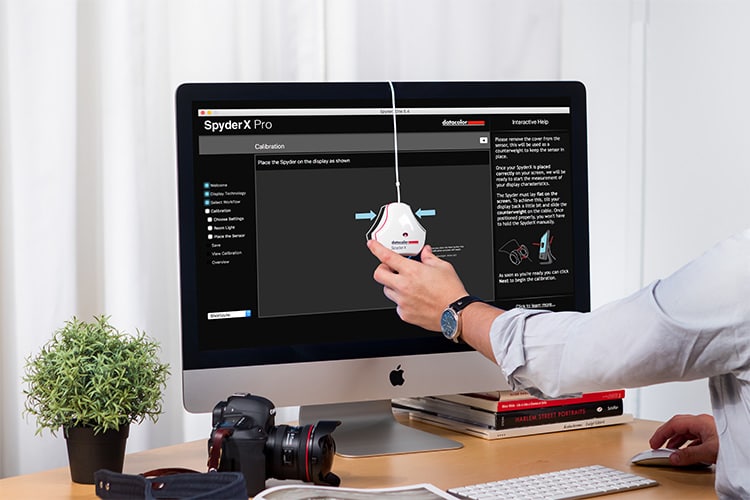
And I thought we were getting away from having to check chemistry on our 40" color paper processor in the days of film.
And now, I am working on making a change from Photoshop. Not because there is anything wrong with that software, but because I don't like Adobe's business model of having to pay for a monthly "subscription"... forever.
And now, all these years later, this old dog is having to learn new tricks.
--------
Yeah, yeah, Photoshop, blah, blah - what about the cats? Thanks for asking.
You are probably familiar with a Murphy bed. We have a "Murphy chair." Every morning, after Murph and I spend some time outside, when we come in, I move one of our kitchen counter bar stools in front of the glass patio door. Murphy hops up there, so he can see what's going on out in the courtyard. We have a cooling pad on that chair... and it is Murph's.

This morning, while Murphy was getting brushed, Stella jumped up in "the Murphy chair." That didn't last long: Murphy was there in a shot to reclaim his chair. ;-)

No comments:
Post a Comment